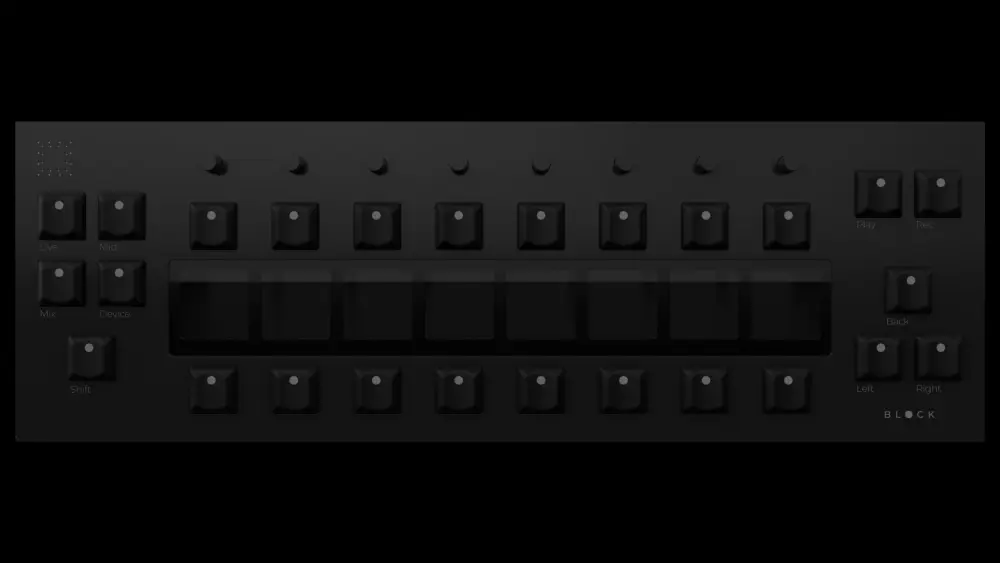
A MIDI controller with 8 color displays, encoders and physical buttons, designed to control mixing, devices, drums, chords and MIDI mapping with direct feedback from Ableton Live.
01
8 color displays
Each display shows useful information depending on the active mode: tracks, parameters, devices, pads or Ableton Live functions.
02
Direct feedback from Live
Inmod Block receives information from Ableton Live and adapts its visual interface so you can see exactly what you are controlling.
03
Less mouse, more flow
Designed to reduce screen dependency, speed up your workflow and keep physical control of your project.
Not just another MIDI controller.
Inmod Block is a visual control surface for Ableton Live. Each display can represent a track, a parameter, a device, a pad or a function depending on the active mode. The idea is to reduce mouse dependency and keep the information you are actually controlling right in front of you.
MIX
Mix Mode
Control volume, pan, mute, solo, arm and sends per track with immediate visual feedback.
DEVICE
Device Mode
Navigate devices, macros and Ableton Live parameters from a clear and visual physical interface.
MIDI
MIDI Mapping
Create custom controls for your projects and recover your workflow when you reopen the session.
LIVE
Live Mode
A performance-oriented mode for controlling essential Ableton Live functions with fast, visual and physical access during live use.
MIDI / CHORD
MIDI / Chord Mode
Musical tools for playing ideas, building chords, exploring scales and working with creative MIDI functions from the controller.
DRUMS
Drums Mode
A dedicated workflow for drums, pads, velocity, rhythm programming and creative tools to build grooves in Ableton Live.
Your experience on this site will be improved by allowing cookies.